Back to Mestre

Features

Everything your work needs, in one app.

From adding a client to closing the month. No spreadsheet, no notebook, no account needed.

Home

The whole day on one screen.

When you open the app you see what you’re owed, who is late paying, which quotes await a reply and today’s appointments.

  • Total to receive and number of open charges
  • Alerts for late payments and unanswered quotes
  • Shortcuts to log a job or quote, open the lists and show the Pix QR code
  • Your next appointment with a countdown
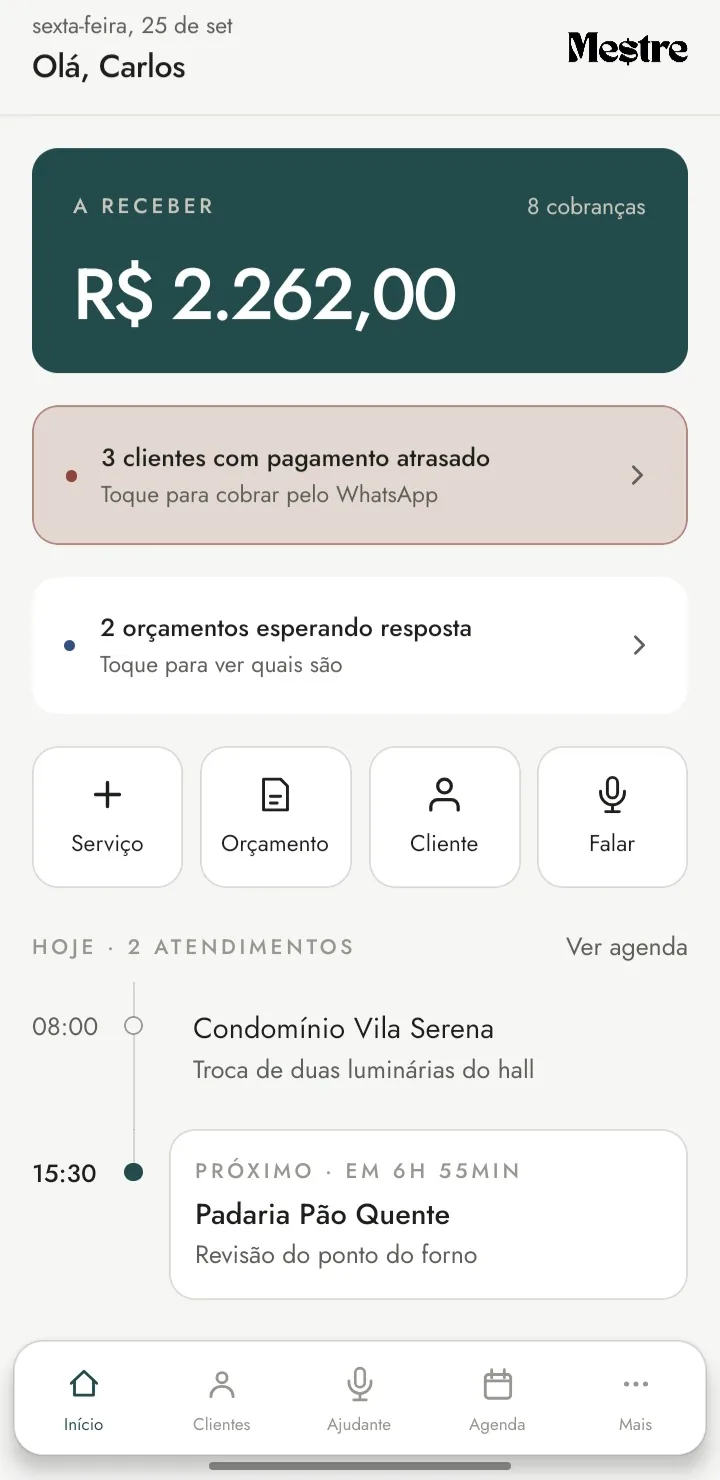
Mestre home screen: R$ 2,262.00 to receive, three clients with late payments, two quotes awaiting a reply and the day’s appointments.

Quotes

From draft to approval.

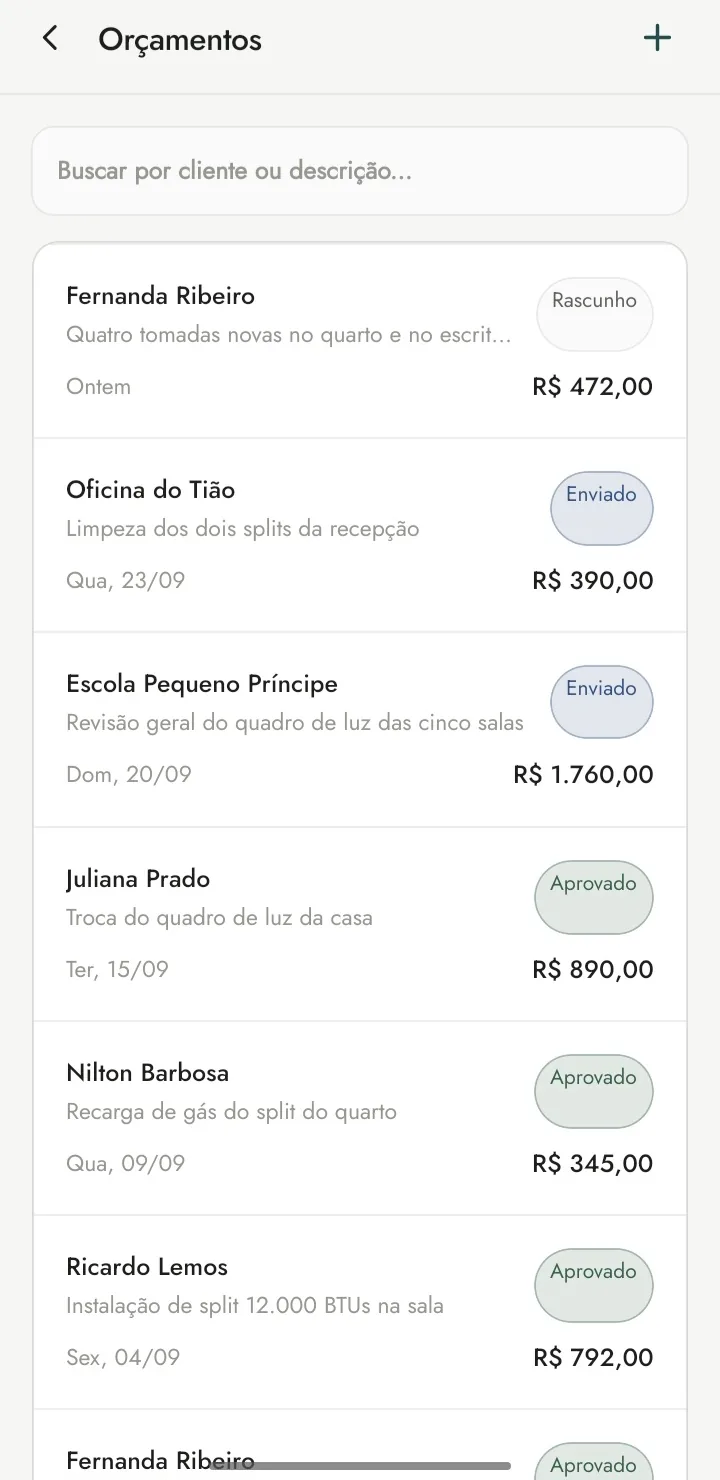
Build the quote with your own prices, send it to the client and follow each one until they reply.

  • Draft, sent, approved or rejected
  • Search by client or description
  • Items from your trade’s catalog
  • A PDF to send the client on WhatsApp

PDFs with your logo on every plan. Quotes also work by voice: say “troquei o chuveiro por 50” (“swapped the shower for 50”) and the app builds the items.

Quote list with client, description, amount and status: draft, sent or approved.

Jobs and schedule

Every appointment in its place.

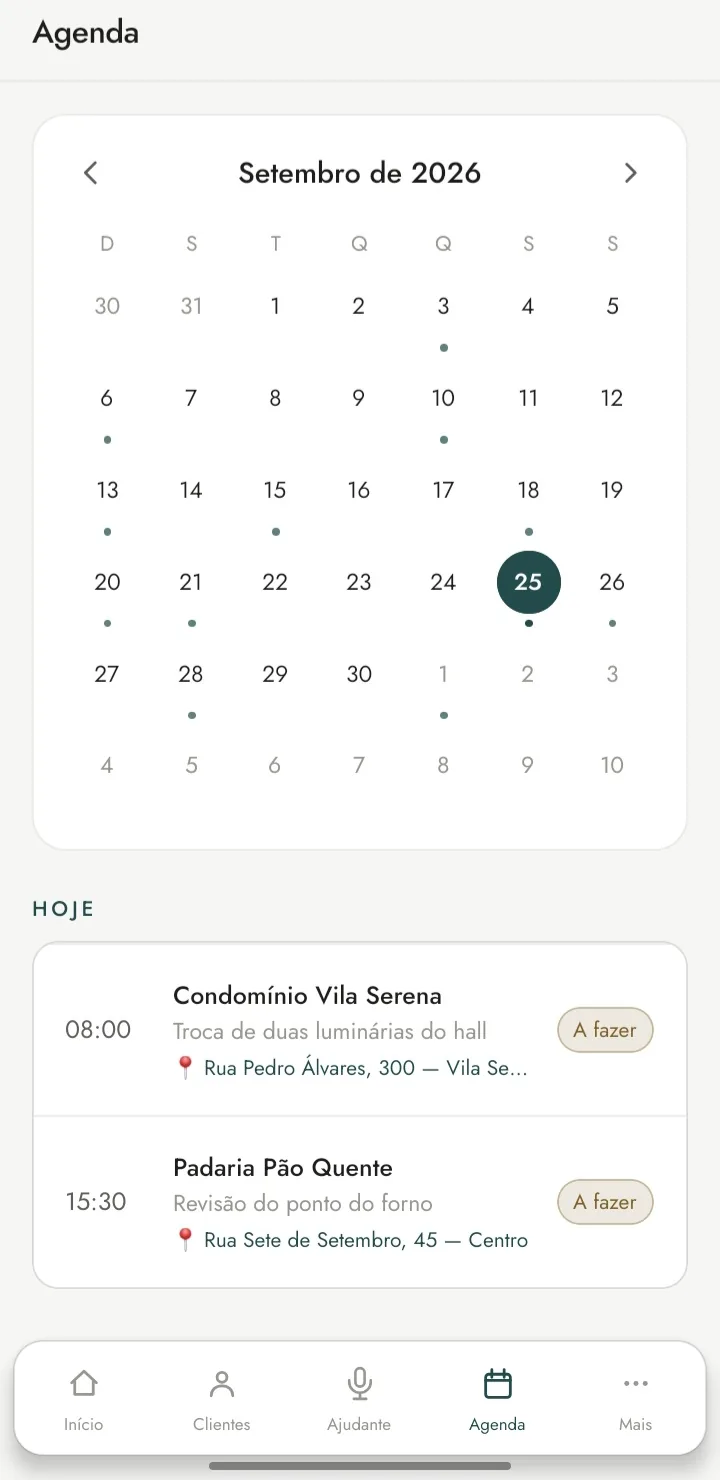
Each job with date, time, address, labor, materials, visit fee and discount, organized on a calendar. Filter by status and see what has been paid.

  • Monthly calendar with busy days
  • Address for each appointment
  • Status: to do, done or cancelled
  • Reminders on your phone that work offline
  • Payment: paid or pending, with partial payments recorded

Before and after photos of the job on every plan. They stay on the phone only: the cloud copy keeps clients, jobs and quotes.

Monthly calendar with busy days and today’s appointments, with time and address.

Payment reminders

No one skips paying because they forgot.

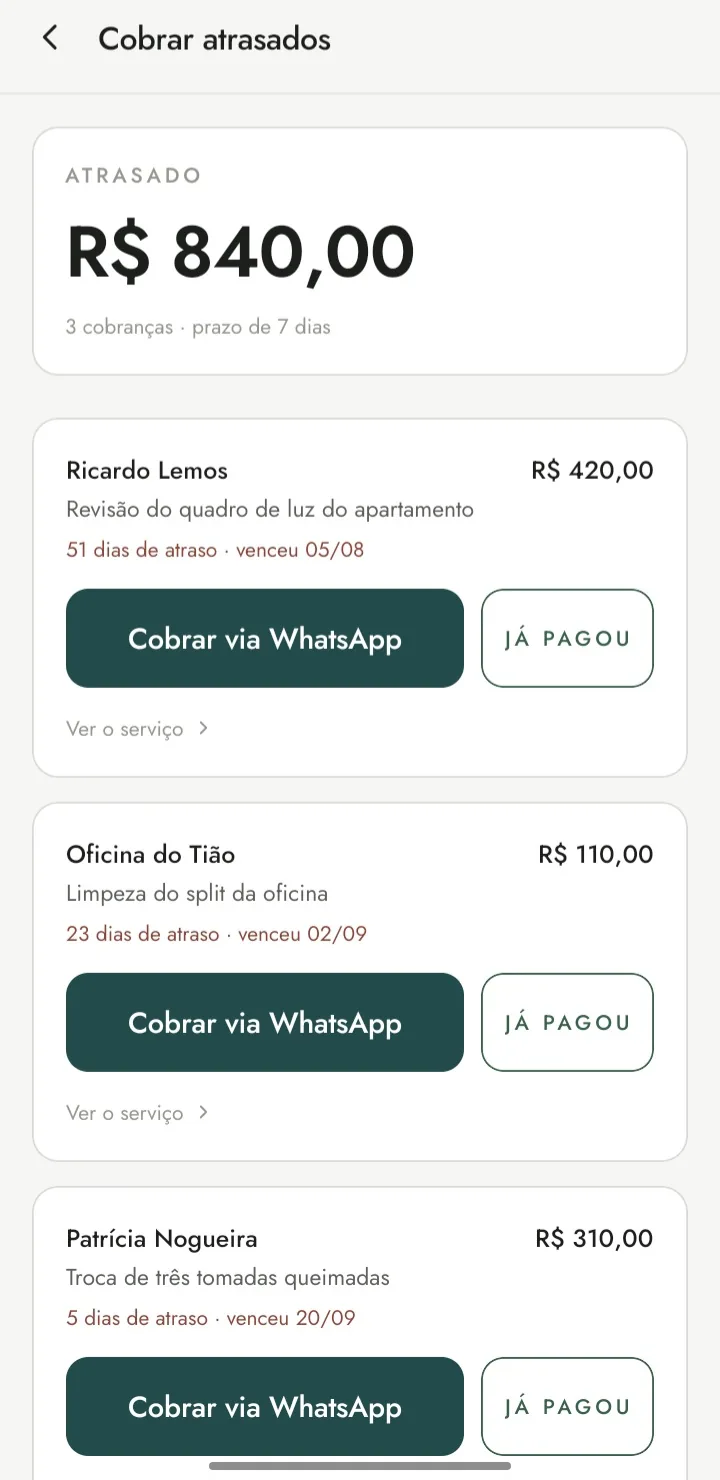
Mestre counts the days late from your payment terms and writes the reminder. You review it and send it on WhatsApp.

  • Due-date and overdue alerts
  • The Overdue payments screen, with the overdue amount and days late
  • WhatsApp opens with the message ready. You’re the one who taps send
  • Mark as paid in one tap

All of this on every plan, Free included.

Overdue payments screen: R$ 840.00 overdue, with days late and a button to send a WhatsApp reminder.

Earnings and expenses

What’s really left over.

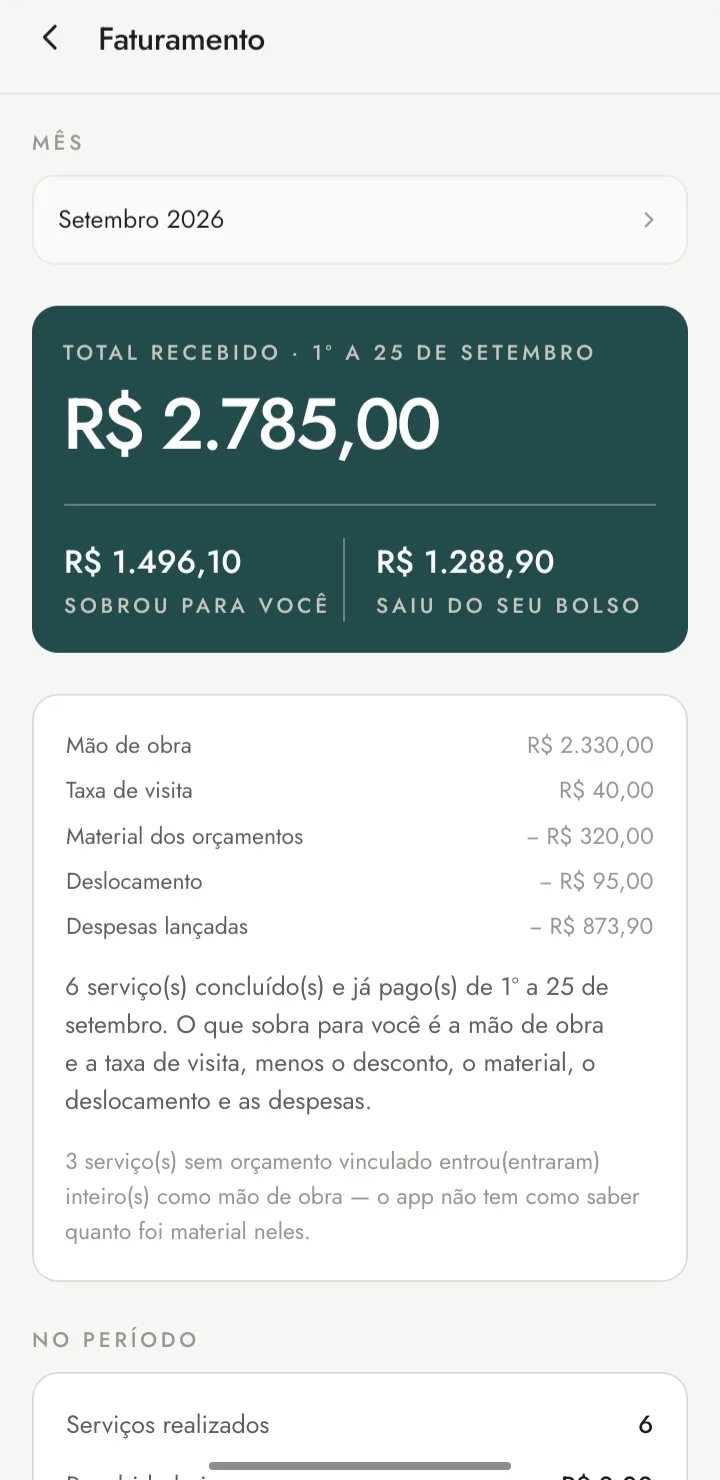
The monthly close separates labor, visit fees, materials, travel and expenses. You see what came in, what came out of your pocket and what’s left for you.

  • Only counts finished, paid jobs
  • Number of jobs done
  • Expenses by category (transport, materials, tools, meals and other) and the profit on each job
  • Reports for the month, 3 months or the year, with charts, in PDF and spreadsheet
  • Yearly summary for MEI: the year month by month, with each month’s document as a PDF or on WhatsApp. It’s a summary for you to check, not a tax declaration
  • Team (Chefe plan): mark who did each job and see how much to pay each person. That cost comes off the profit

The numbers are calculations from what you enter. They are not invoices and don’t replace an accountant.

September earnings: R$ 2,785.00 received, R$ 1,496.10 left over and R$ 1,288.90 spent.

Trade catalog

Your prices, ready to use.

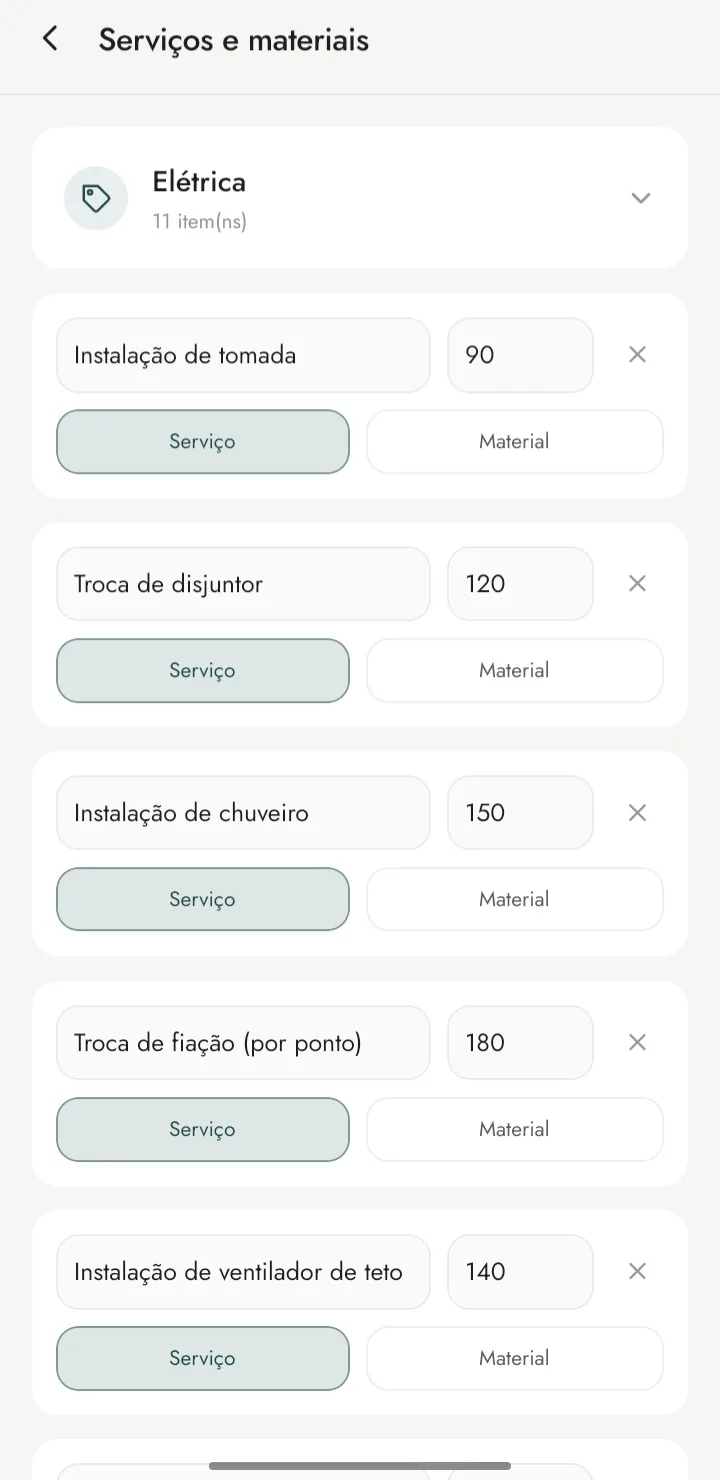
A list of services and materials with prices, specific to your trade and grouped by category. Adjust the prices and build quotes faster.

  • Service or material for each item
  • Grouped by category
  • A reference price you can edit

As many trades as you need, on every plan.

Price list of electrical services and materials, with the price of each item.

Themes

Your way.

Choose from several looks with different colors, type and shapes. The features are the same in all of them.

Every look on every plan.

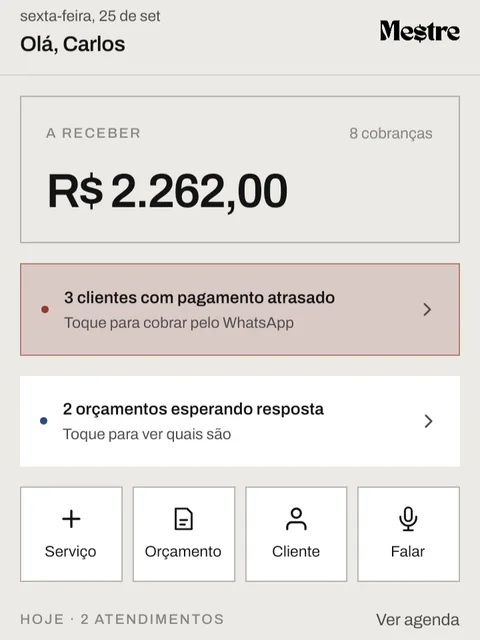
Mestre home screen in the grey, with square corners theme.
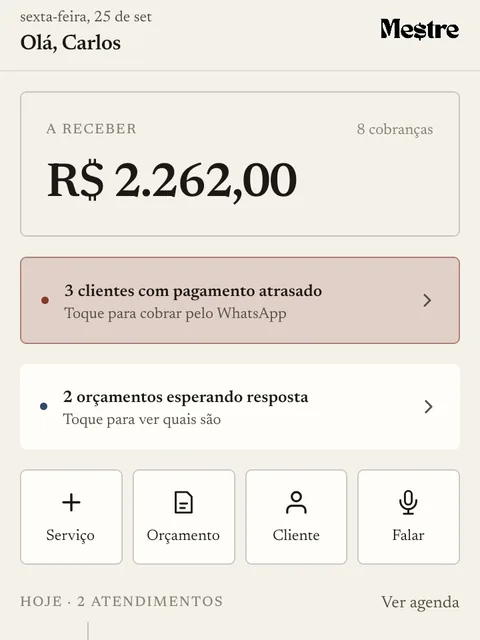
Mestre home screen in the beige, with serif letters theme.

More features

The rest of what the work needs.

Clients, Pix, documents, account and help, in the same app.

  • Clients

    Client records, a profile for each client and a statement with their history of jobs and payments.

  • Get paid by Pix

    The app builds the Pix copy-and-paste code and QR code on the phone itself, offline, with your key. The client pays you directly, and the money doesn’t pass through Mestre.

  • PDF documents

    Quotes, job statements and client statements, with the same font on any phone. Your logo and reports on every plan.

  • WhatsApp and calls

    Send documents and ready-made messages on WhatsApp, or call the client from the app.

  • Account and backup

    The account is optional: sign in with your Google account, no password, to get a cloud copy on any plan, Free included. Your phone stays the owner of your data, and the session is kept in the phone’s secure storage. To move everything to another phone, you can also make a backup file.

  • Help inside the app

    Tutorial, FAQ, support, Terms of Use and Privacy Policy, without leaving Mestre.

Get Mestre

Free to start, on the Play Store. For Android phones.

Get it on Google Play